LTS Camera System Sales, Install and Support
LTS Camera System Sales, Install and Support
LTS CAMERA SALES, INSTALLATION AND SUPPORT
LTS (LT Security) sells professional security cameras, network video recorders and the LTS Connect remote viewing app through installers. Their Platinum line is popular with small businesses that want sharp video and local recording without monthly cloud fees. Bluetek installs, fixes and supports LTS camera systems across Central PA.
What it is
An LTS system is a set of IP cameras recording to an NVR in your office. Video stays on site on hard drives sized for the number of days you want to keep, and you view live or recorded footage from a phone, PC or monitor.
Typical small-business use
Shops watch registers and doors, warehouses cover docks and yards, farms watch barns and gates, and offices cover entrances and parking. Most clients want 30 days of recording and the ability to pull a clip for police or insurance quickly.
Problems we fix
We fix cameras that go offline, NVRs that stop recording, full or failing drives, blurry night images, remote viewing that stopped working and forgotten admin passwords. We also replace analog or failing cameras with current models.
Licensing and ownership quirks
LTS hardware has no monthly license, which keeps costs low, but you own the upkeep. Remote access relies on the LTS Connect service and correct NVR settings, and firmware updates must be applied by an installer. We handle all of it.
Storage planning
Recording days depend on camera count, resolution, frame rate and motion. We calculate drive size so you actually get the retention you expect, and set alerts for drive failures.
Network separation
Cameras belong on their own network, not on the office LAN. We put them on a separate VLAN with rules that keep them off the internet except for approved remote viewing, which closes a common hacking path.
Placement and lighting
We walk the site, plan angles that capture faces and plates, and choose cameras with the right lens and night vision for each spot.
Cabling and PoE
We pull outdoor-rated Cat6, use PoE switches or the NVR’s PoE ports and weatherproof every connection.
Pulling footage
When something happens, we help you find and export clips quickly in a format police and insurers can use.
How it fits our stack
Cameras ride on networks we already manage, so we monitor the NVR alongside firewalls and switches and know when a camera drops.
- LTS cameras and NVRs sold and installed
- LTS Connect remote viewing fixed
- Recorders kept secure and backed by UPS
CAMERA PROBLEMS WE GET CALLED FOR
APP STOPPED WORKING
The LTS Connect app will not log in or shows cameras offline.
DEAD CAMERA
One camera over the back lot failed and nobody noticed for weeks.
FULL OR DEAD DRIVE
The NVR stopped recording because its drive failed.
POWER BLIPS
A storm reboots the recorder and it never comes back.
WHAT WE INSTALL AND SUPPORT
CAMERAS
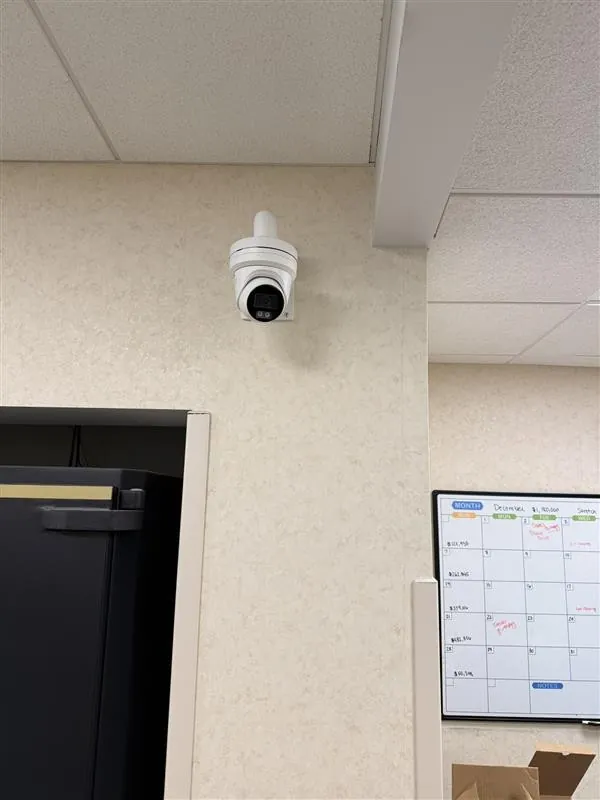
Turret, bullet, panoramic and PTZ cameras for lots, doors and registers.
NVRS
LTS recorders sized for your camera count and retention.
REMOTE VIEWING
LTS Connect on phones and PCs for the people who need it.
POWER AND NETWORK
PoE switches, UPS battery backup and cabling.
We keep the recorder on its own network and avoid opening ports to the internet.
LTS, UNIFI PROTECT OR CLOUD CAMERAS
We also install UniFi Protect and support cloud systems such as Verkada and Avigilon Alta. If you already run LTS, we keep it running. If you are starting fresh, we compare the options with you.
- Honest comparison by site
- Reuse of good existing cable
- Clear footage export steps
- Retention set to your needs
HOW A CAMERA JOB RUNS
01
WALK
Walk the site and mark camera locations and angles.
02
QUOTE
Quote cameras, recorder, cabling and labor.
03
INSTALL
Run cable, mount cameras and set up the NVR.
04
HAND OFF
Set up the app and show your team how to pull footage.
WHERE LTS FITS
AUTO SHOPS
Lots, bays and key drop boxes.
RETAIL
Registers, entrances and stock rooms.
WAREHOUSES
Docks, yards and fence lines.
OFFICES
Entrances and parking areas.
QUICK ANSWERS
No. Video records locally on the NVR.
It depends on cameras and settings. We size drives to your target.
Yes, with LTS Connect.
Often power, cabling or network. We trace it.
No. We put them on their own network.
GET YOUR CAMERAS WORKING
Tell us how many cameras you have and what is wrong. We will plan a fix or a new system.
Or call 717-516-0600


